How to Integrate Leads from Gravity Forms to Rocket Matter CRM
Pass leads captured in Gravity Forms directly into Rocket Matter CRM.
This would require:
- Website login information
- The Gravity forms webhook add-on
Configuring Gravity Forms Integation
- The first step to integrating your Gravity Form with Rocket Matter CRM is to ensure that you have the webhook add-on. You can confirm this by going to Forms > Add-Ons.
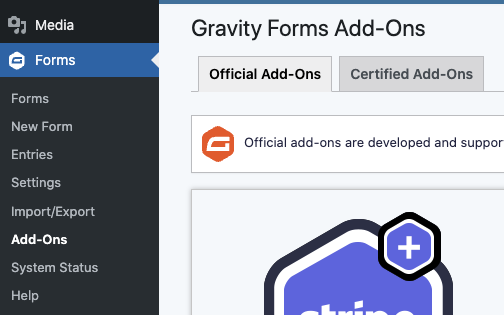
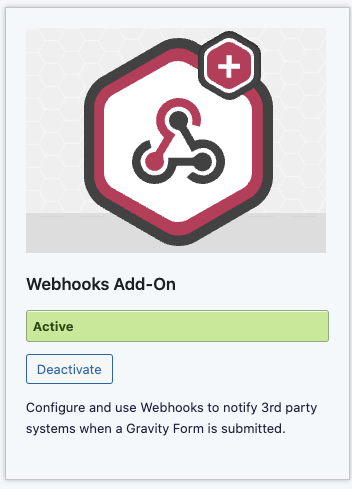
- Search for the Webhooks Add-On and make sure that it is Active.
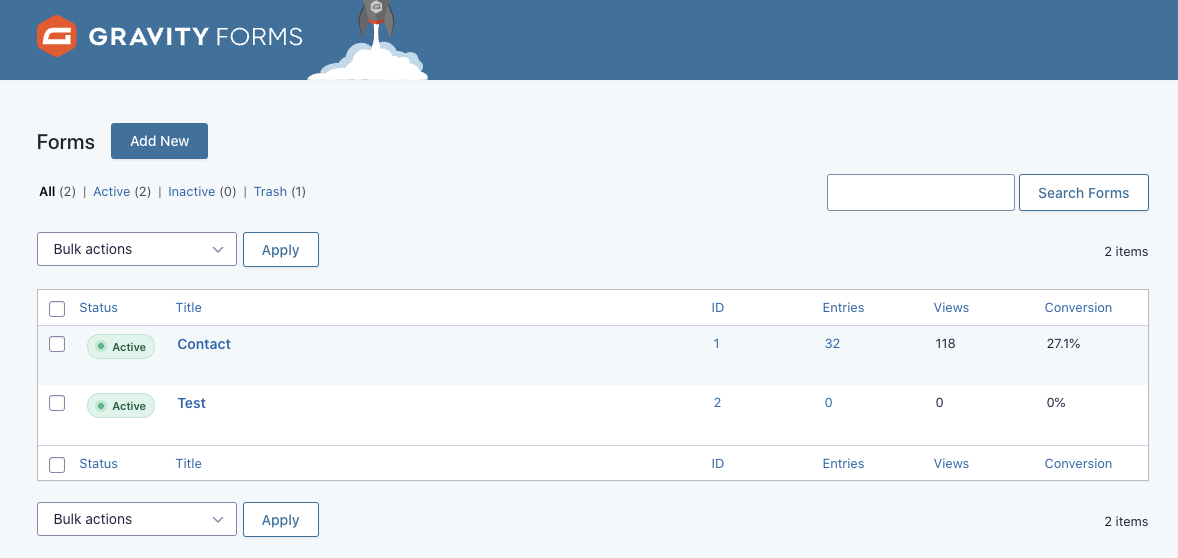
- Next head over to your forms. Here you will need to select the form(s) that you want to integrate with Rocket Matter CRM.
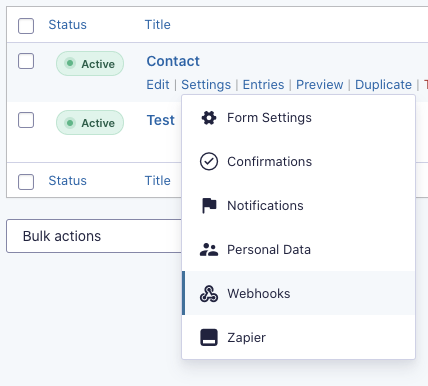
- Click on the Settings link inside of the form you want to integrate and select the Webhooks option in the drop-down.
- Click on Add New.

- This next step requires you to enter your Rocket Matter CRM API information as well as map the data points that you want to send over when a new form is submitted.
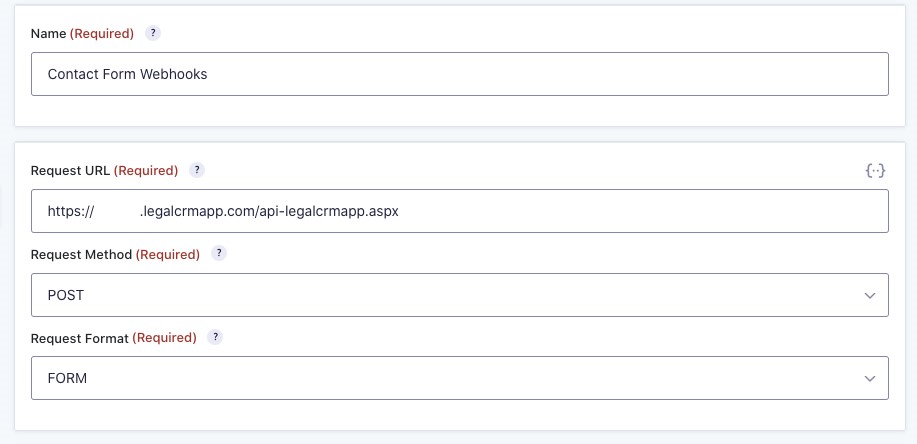
Below is a link to our API guide which will explain in depth how to post to the Rocket Matter CRM API and what API fields are required/available.
Feel free to reach out to Rocket Matter CRM support if you or your vendor has any technical questions.
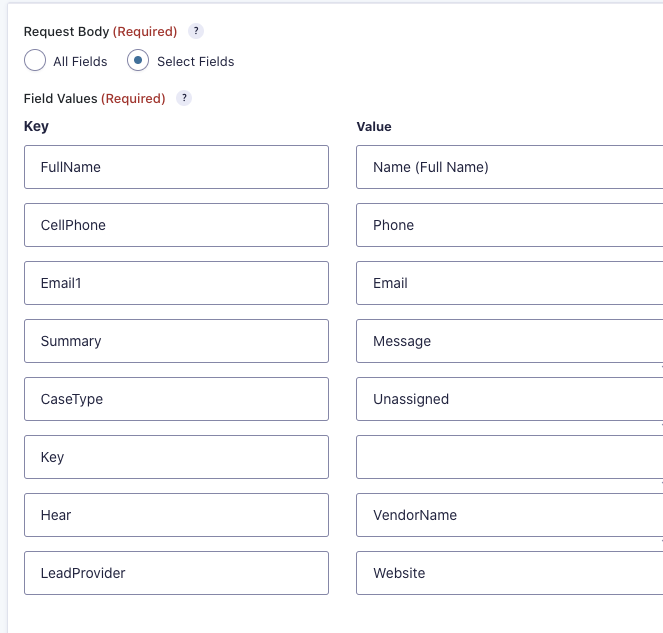
- Once you have configured your webhook to post to Rocket Matter CRM please do not forget to press the Save Settings button.