Managing Reports |
You can run various types of reports. This article outlines the steps you take in the system to view and generate these reports.
Class-based reporting allows you to categorize your income and expenses based on classes to create a financial picture that meets your firm's specific needs.
Before you begin to create class-based reports, make sure to enable class-based tracking under Setup > Firm Settings > Firm Preferences.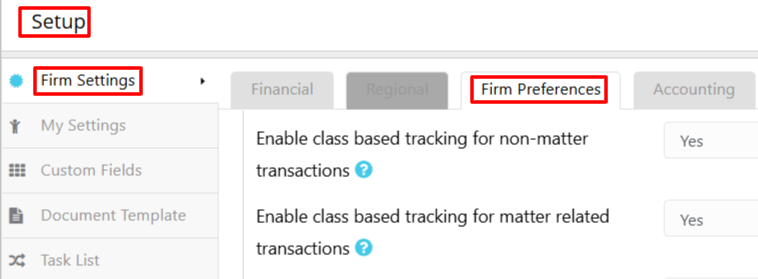
You can save a specific set of report filters as a named preset and schedule the report to run automatically at a set interval and have it emailed to specified recipients in PDF or Excel format. This article outlines the steps you take in the system to set the presets and schedule delivery.