Introducing Lead Scoring for Intake Forms
Assign point values to intake form answers so leads are automatically scored and ranked by how qualified they are.
We’re excited to announce a new enhancement to your Rocket Matter CRM: Lead Scoring!
This powerful new tool helps you qualify leads more effectively by assigning values to specific intake form answers. If you’re looking to prioritize high-value leads or streamline your intake process, this feature is made for you.
What Is Lead Scoring?
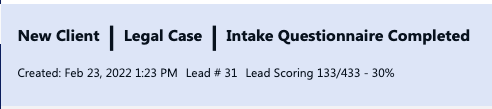
Lead Scoring allows you to assign a weight (or value) to certain intake form answers. As leads or users in the system fill out the client intake form , their total lead score is automatically calculated and displayed at the top of their profile — both as a score and a percentage.
This gives your team quick insight into how qualified a lead might be, based on their responses.
Supported Question Types
You can assign weights (aka "lead scores") to the following intake form question types:
-
Dropdowns
-
Radio Buttons
-
Pick Lists
These question types support predefined answers, which makes them ideal for scoring!
How to Enable and Use Lead Scoring
Follow these steps to activate Lead Scoring in your intake forms:
- Go to Setup
Navigate to your CRM’s sidebar and click on Setup. - Open Intake/Case Form Builder
Select Intake/Case Form Builder from the Setup menu. - Select Your Case Type
Choose the case type you want to edit or create a new one. - Enable Lead Scoring
At the top of the form editor (next to the case type name, column count, and number of fields), you’ll see a new toggle labeled "Lead Scoring". Switch it ON.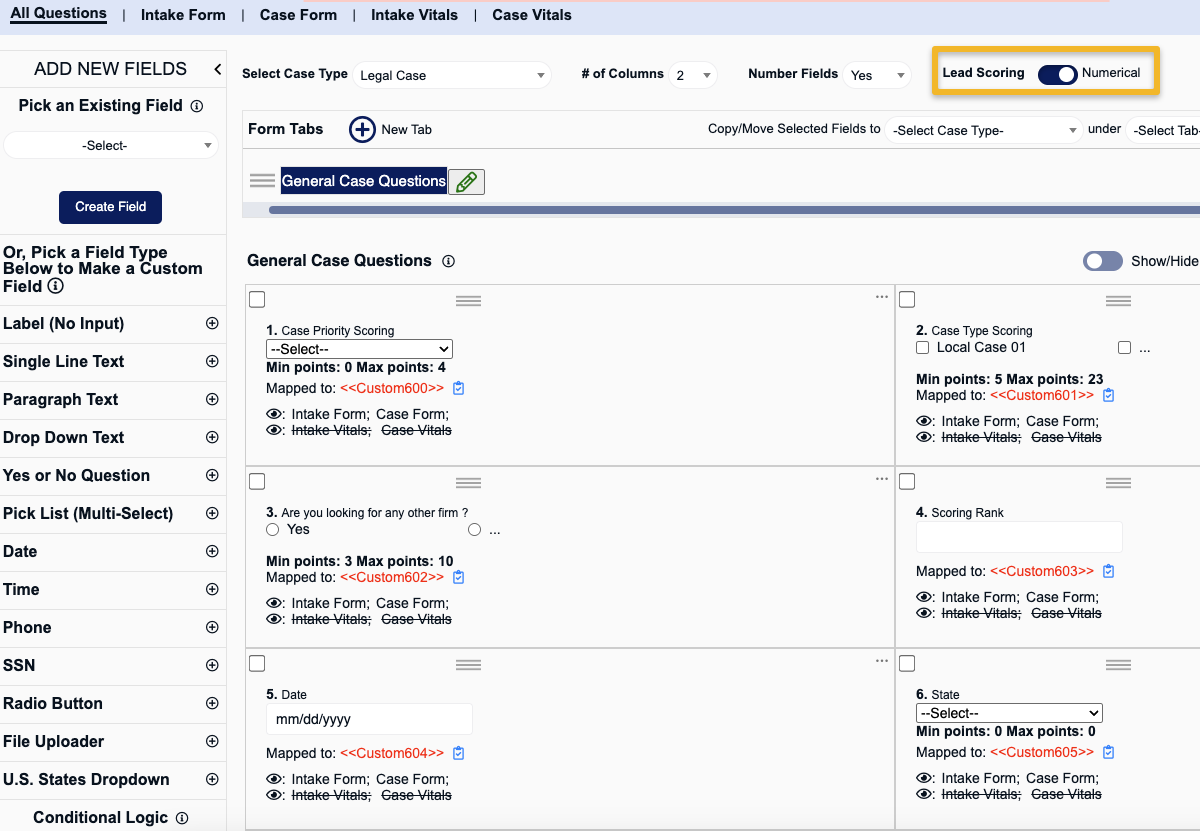
- Assign Weights to Answers
For each qualifying question (Dropdown, Radio Button, Pick List), you’ll now see a “Weight” option next to each answer. Enter a numeric value to reflect how important each answer is.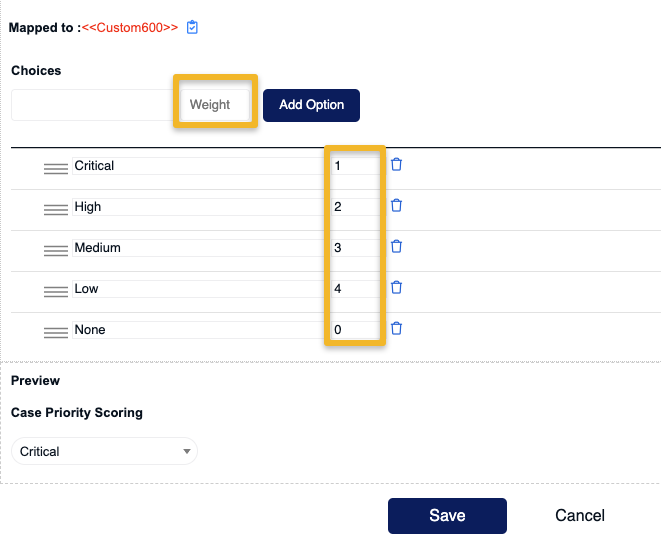
- Save Your Form
Hit Save, and you’re done! Your form is now scoring leads automatically.
Viewing Lead Scores
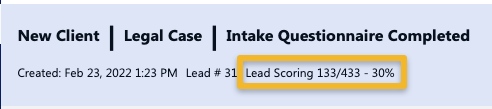
Once the form is active, every lead that fills it out will have a total lead score and percentage displayed at the top of their profile. This score reflects the sum of all assigned weights from their answers.
Why Use Lead Scoring?
-
Quickly identify high-priority leads
-
Standardize your intake evaluation process
-
Save time by focusing on the most promising opportunities