Access phone messages linked to a matter directly inside the matter record.
Enhancements
Phone Messages in Matter Management
Now you can see and act on all your phone messages without ever leaving the matter you're working in. A new Phone Messages sub-tab sits under Matter Management (right after Notes), showing every message tied to that matter — so you don't have to jump to the global Practice > Phone Messages list just to check on a call.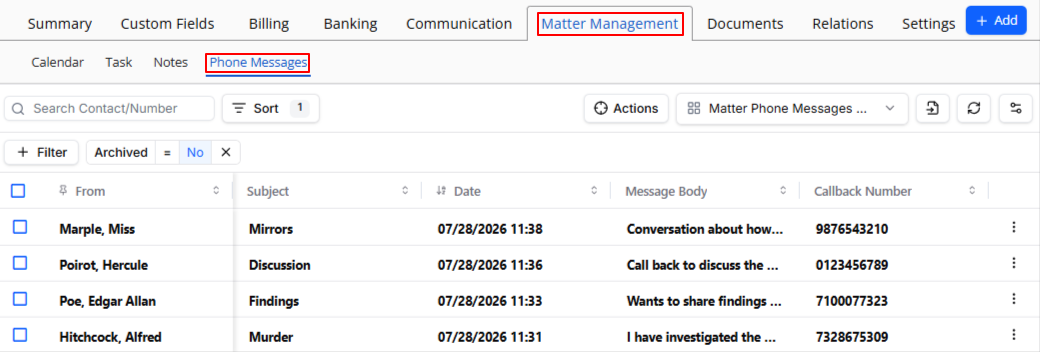
- Find messages fast in a familiar grid. Sort by From, Subject, Date, Message Body, or Callback Number, and the From column stays pinned so you always know who called.
- Log a message without extra steps. When you add a phone message from the matter, the Matter field is already filled in and locked — so it's always linked to the right file.
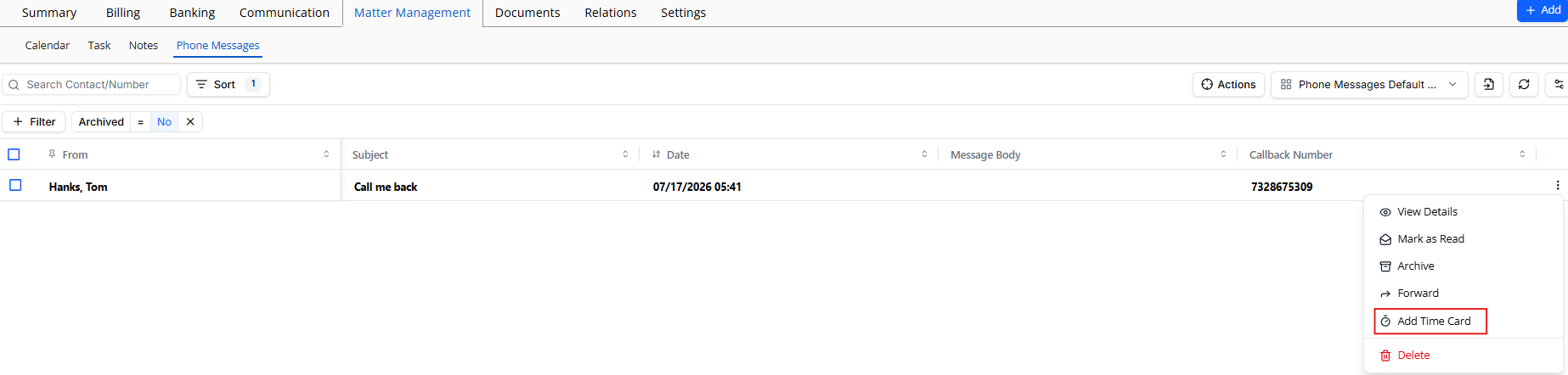
- Handle a message your way using the row menu: view details, mark as read or unread, archive or unarchive, forward it, attach or unlink a timecard, or delete it.
- Bill your time in seconds. Click Add Time Card and it opens pre-filled with the matter, subject, and message body already in place.
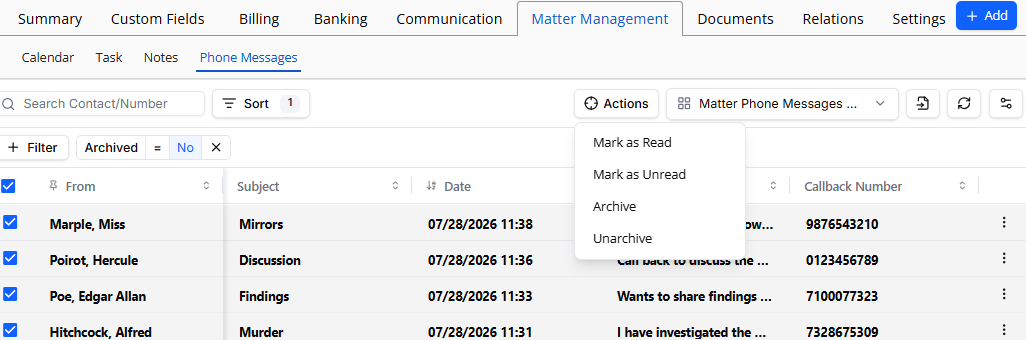
- Update multiple messages at once. Select several messages and use the Actions button to mark as read, mark as unread, archive, or unarchive them all together.
- See it your way. Filter, page through results, and save your own custom views — including columns, layout, and filters. By default, you'll see only non-archived messages.
- Stay in sync automatically. Any change you make here shows up instantly in the global Practice > Phone Messages list, since both views pull from the same record. (You'll only see this tab if you have phone message permissions.)