Enhancements
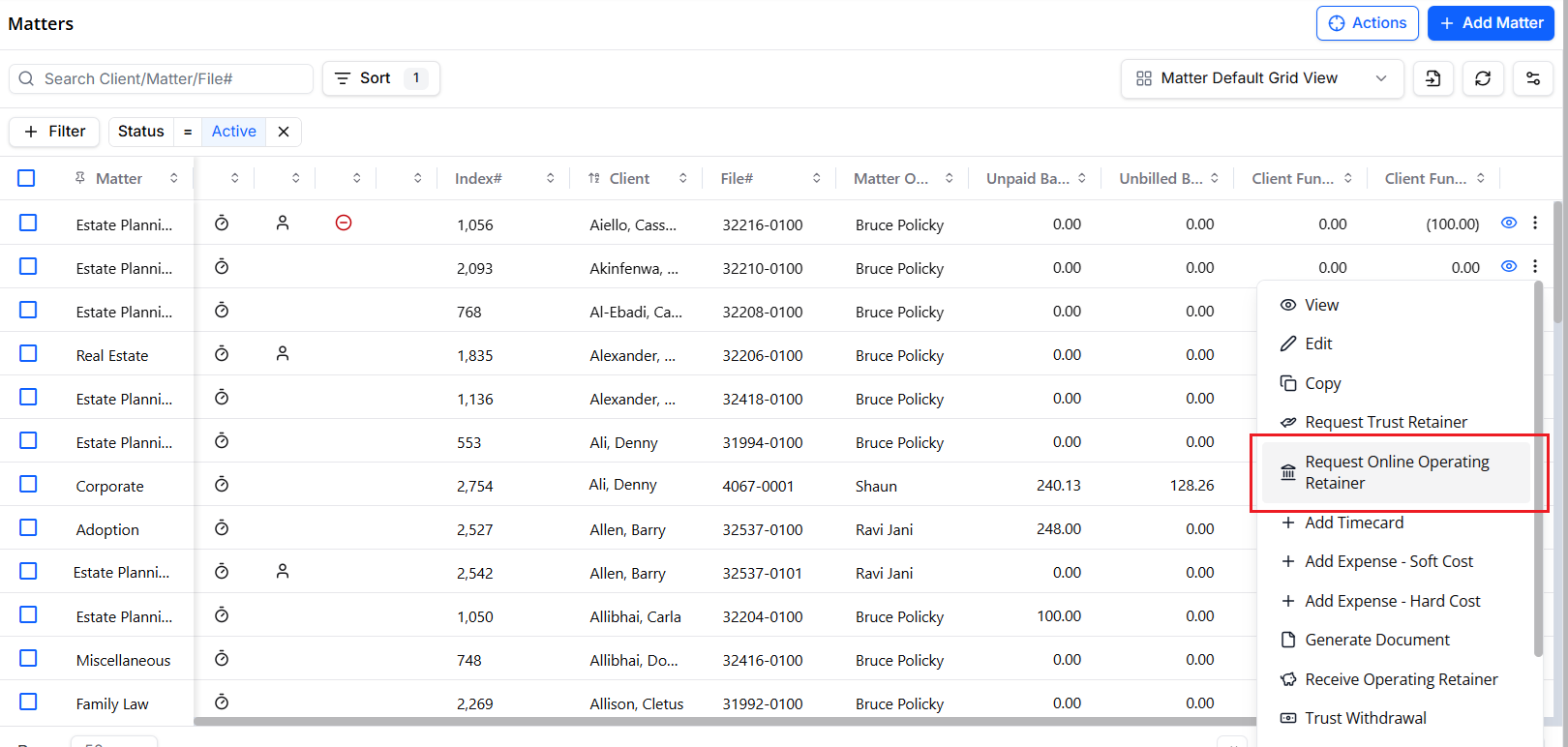
Request Online Operating Retainers
If your firm has integrated payments enabled, you can now request Online Operating Retainers directly from a Matter. With this new feature:
You can send Operating retainer requests via a secure payment link
Funds are deposited directly into the Operating Bank
Operating retainer balances update automatically upon payment
Operating retainers can be applied to unpaid invoices
you can use fully customizable email templates for request emails
These new retainer requests will improve your cash flow, reduce your manual workload, and make payment and billing easier on your clients.
Separate Trust and Operating Retainer Balances on Bulk Invoice Screen
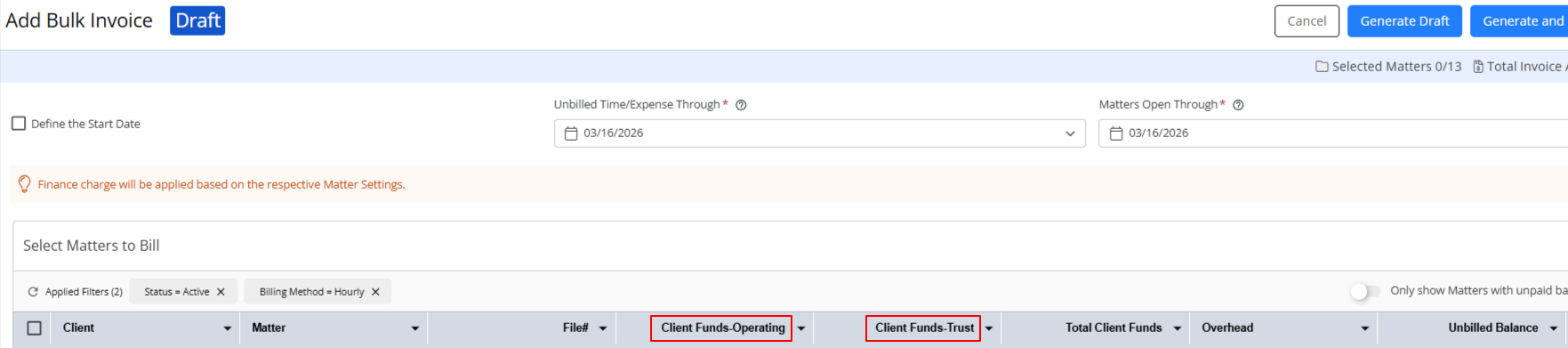
When adding invoices in bulk, you can now view the Trust and Operating retainer balances in separate columns on the bulk invoice and bulk invoice draft screens.
You can also filter your invoice grid by several new filters: Client Funds Trust, Client Funds-Operating, and Total Client Funds. As with the column, the filter for "Retainer Balance" is now "Total Client Funds."
All displayed balances related to Trust and Operating retainer balances reflect current, real-time financial data from your firm. The change in how retainers are displayed has not changed the underlying accounting logic, and does not apply to single-invoice workflows.