Calculate finance charges on daily outstanding balances, display accounts payable reference number on checks, and more.
Enhancements
Calculate Finance Charge on Daily Outstanding Balance
You can now configure the system to calculate finance charge at the matter level based on daily outstanding balances. Instead of calculating interest solely from invoiced amounts, the system accrues charges using the actual daily balance for each matter, accounting for payments and adjustments in real time. This provides you with more accurate and granular interest calculations aligned with actual outstanding receivables.
This feature includes:
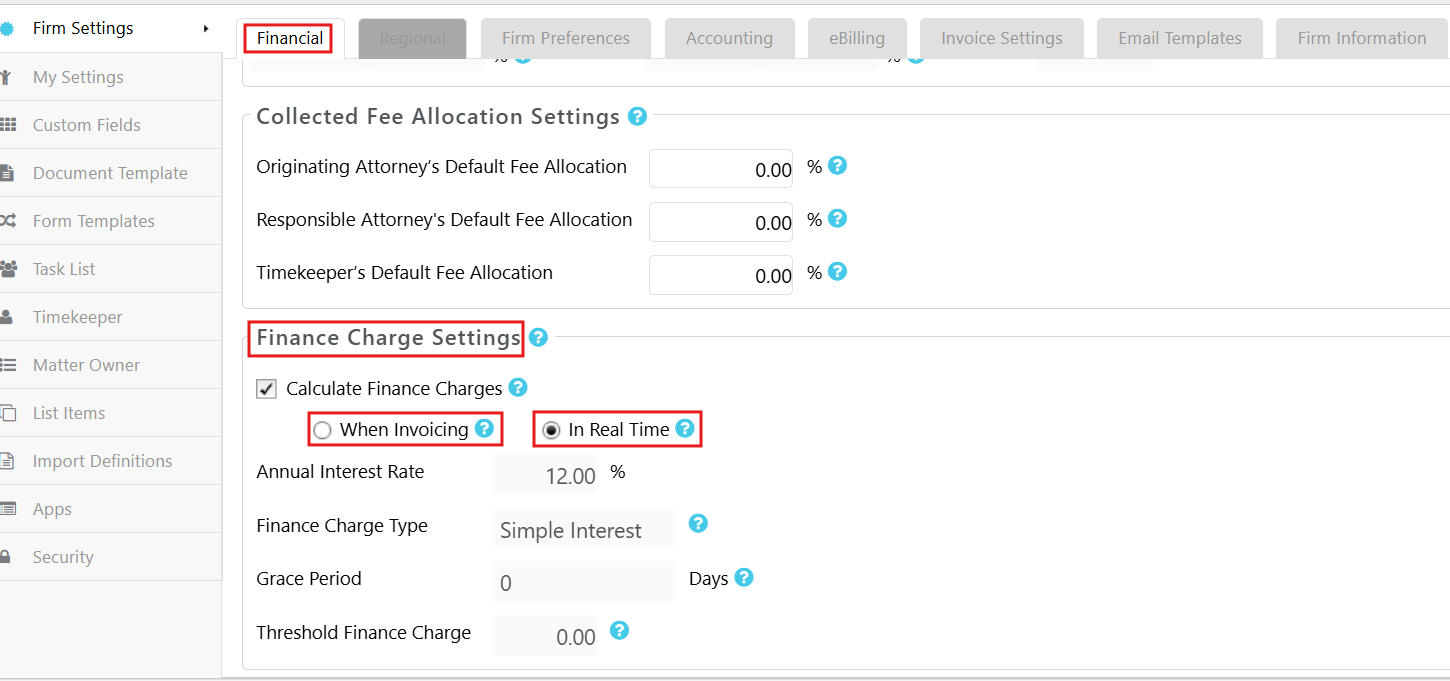
Matter_Level Configuration: You can configure finance charge settings individually per matter in Matter Settings, overriding firm-wide defaults where needed. 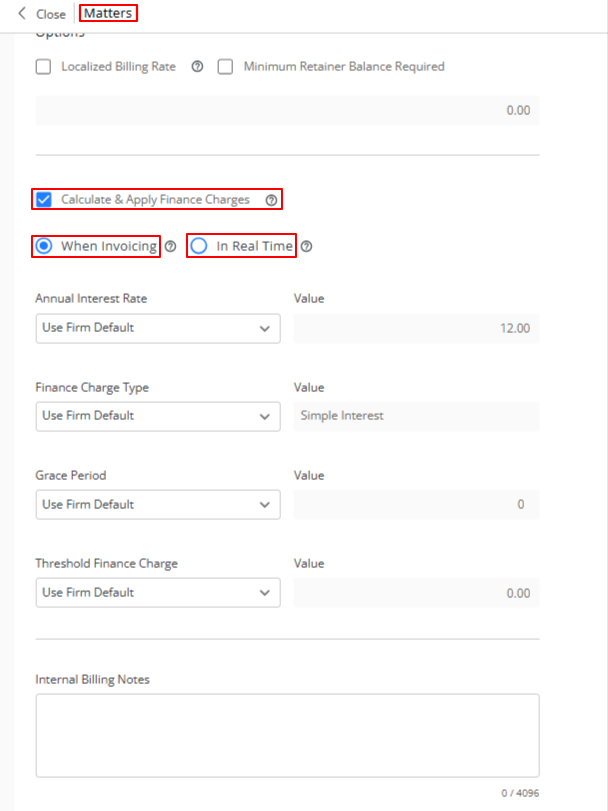
Finance Charge Summary: If you have selected In Real Time, a new Finance Charge widget is available in the Matter Summary screen, displaying charges calculated up to date. 
Finance Charge Details: Clicking the details icon opens a window showing detailed calculation parameters (date, annual interest rate, charge type, threshold) and a breakdown per invoice including due date, overdue amount, total overdue days, previously billed days, current overdue days, and new finance charge amounts. 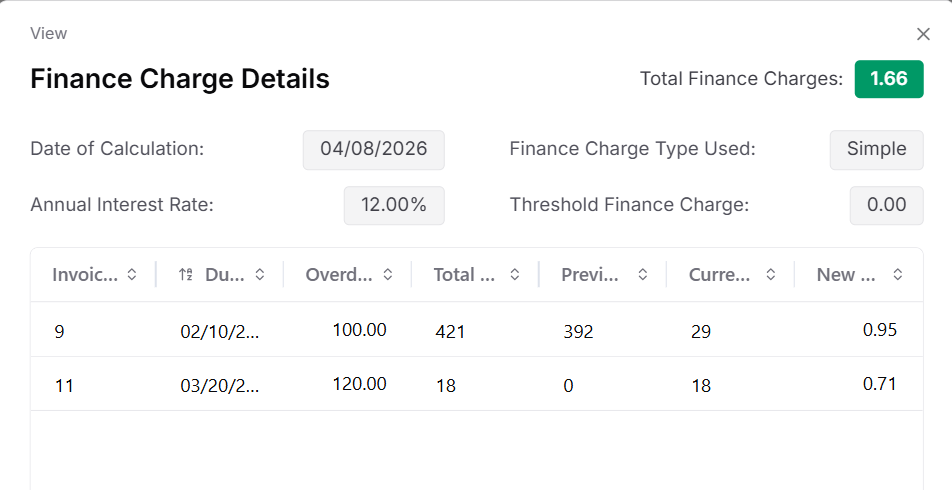
Invoice-Level and Matter-Level Calculation: Finance charges can be calculated at either the invoice level or the matter level, depending on firm configuration. Matter-level calculation uses the aggregate daily outstanding balance across all unpaid invoices on the matter.
Payment Recording: You can record and apply payments directly against finance charges using the New funds option only. Unlinking payments from finance charge invoices and deleting finance charge payment invoices and their associated transactions are fully supported.
Invoice Reminder Notices: You can include finance charge details in printed invoice reminder notices for client communication.
Display Accounts Payable Reference Number on Checks
To ensure that critical vendor reference information is visible on checks, you can now include the Accounts Payable Date, Reference Number, and Amount from selected AP bills onto printed checks using the new check template Voucher Format 7 under Setup > Firm Settings > Firm Preferences > Check Settings > Check Format.
This improves vendor payment reconciliation, reducing manual inquiries, and providing better audit clarity. 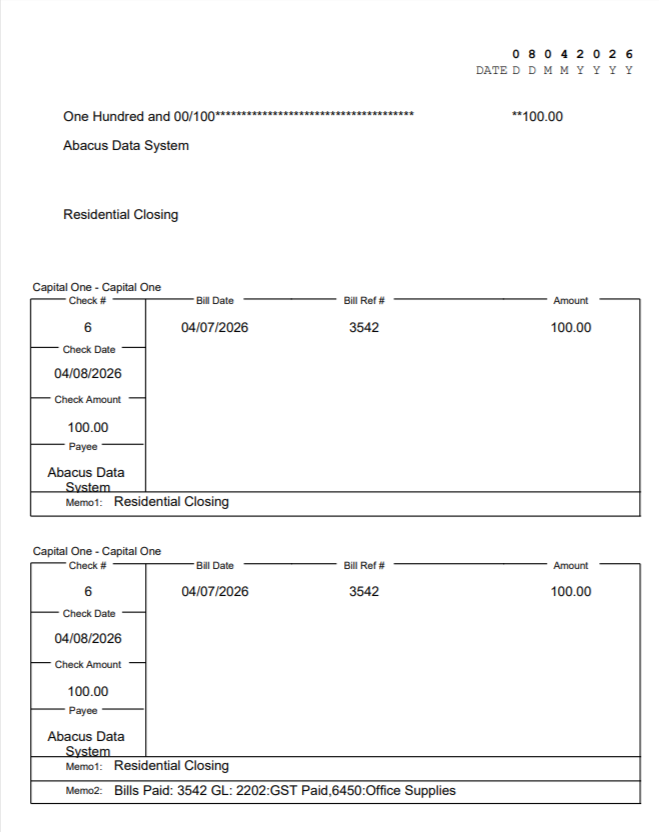
This feature includes:
New Check Style: Voucher Format 7 (Check, Stub, Stub): A new selectable check format has been added to Check Style Format settings. The layout includes one negotiable check section and two detachable voucher stubs, each displaying a bill detail table with Bill Date, Bill Ref#, and Amount columns, along with Memo fields.
AP Reference Data on Stubs: Both stubs display the bank account name, check number, check date, check amount, payee, and a table of AP bill details. The first stub includes Memo1, while the second stub includes both Memo1 and Memo2.
Multi-Bill Support: When multiple AP bills are paid with a single check, all bills are listed in the stub table. If the number of bills exceeds the visible rows (varies by font size: 12 rows at font size 9, down to 8 rows at font size 12), a total row displays the remaining amount.
Export Option for AP Transactions: A new export option has been added in Transaction Details for transactions linked to AP bills, allowing users to export bill-related data for reconciliation.
Improved Banking and Hard Cost Screen
-
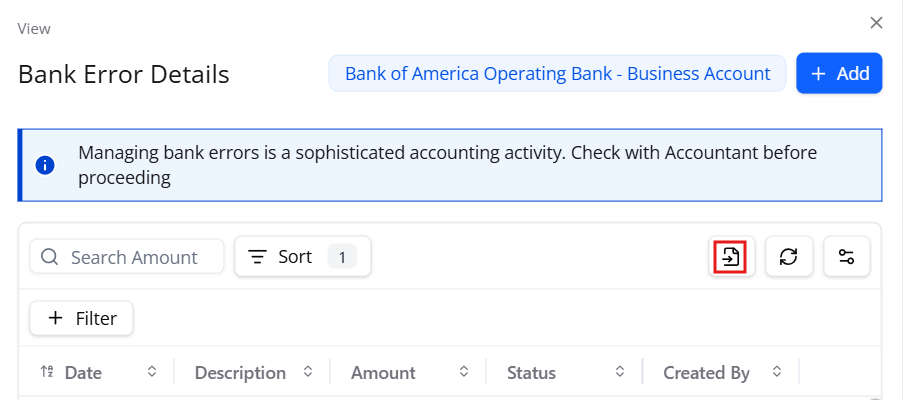
Export Bank Errors: The Bank Error Modal on the Reconciliation screen now includes an export functionality so that you can export the list of bank errors directly from the modal, enabling easier review, sharing with team members, and offline troubleshooting of reconciliation discrepancies.
-
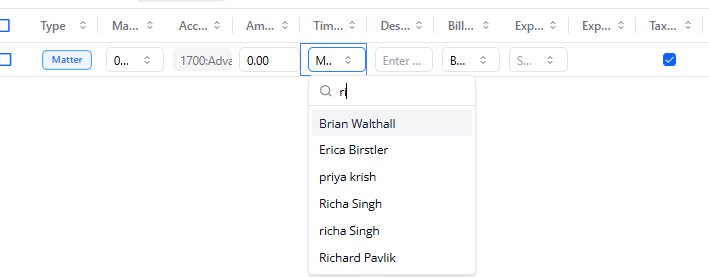
Hard Cost Timekeeper: When adding a hard cost, the drop-down for timekeeper now allows you to search by typing. If your firm has a large staff roster, you can quickly locate the desired timekeeper by typing partial names or initials, significantly reducing selection time.