Setting Minimum Retainer Requirement
To establish the minimum amount:
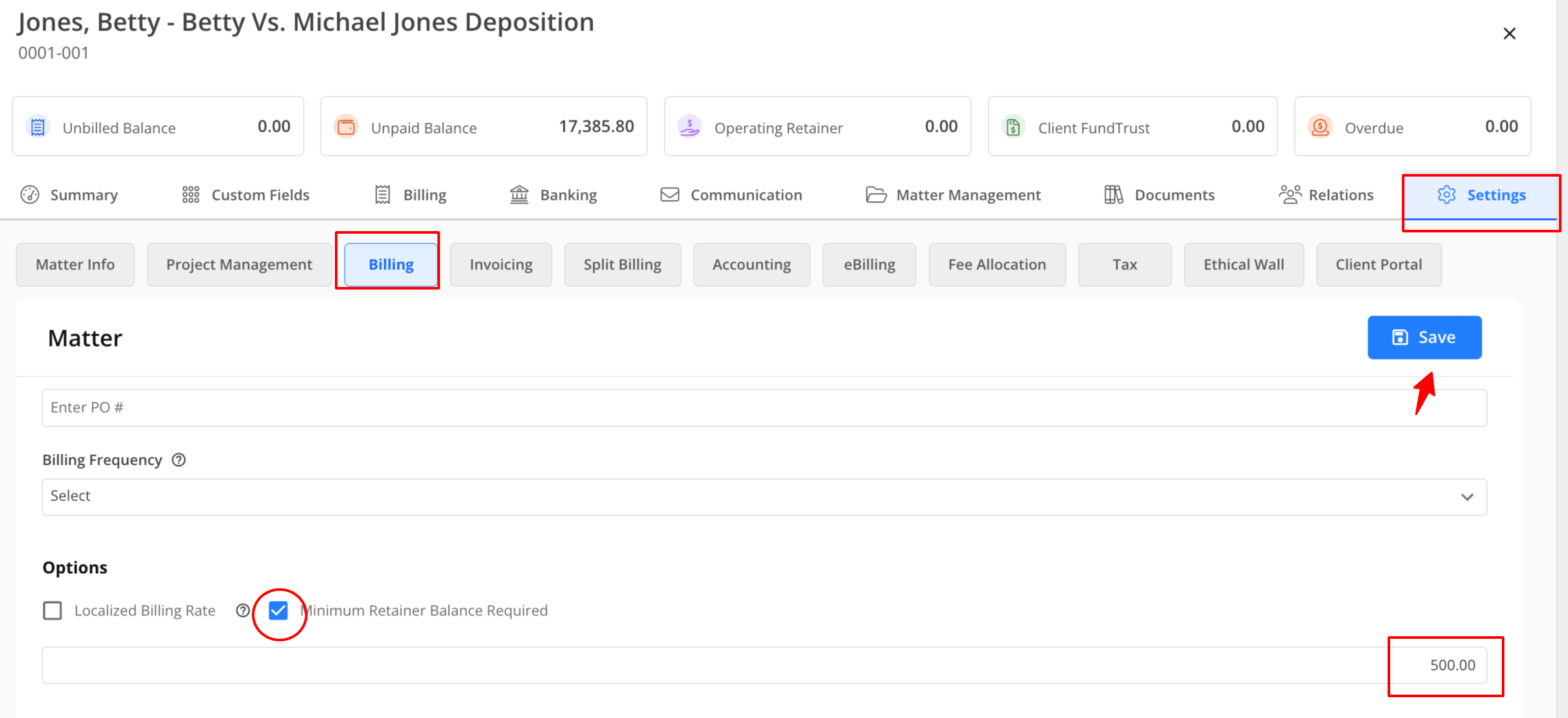
- From the navigation panel, click Matters.
- Either single or double-click on the matter, then scroll down to view the matter summary.
- From the tabs atop the summary section, click Settings.
- From the tabs on the Settings screen, click Billing.
- Scroll down to the Options section, and check the box for Minimum Retainer Balance Required.
- Input the desired minimum balance.
- In the upper right corner, click Save.
Low Retainer Reminder
To send out Low Retainer Reminders:
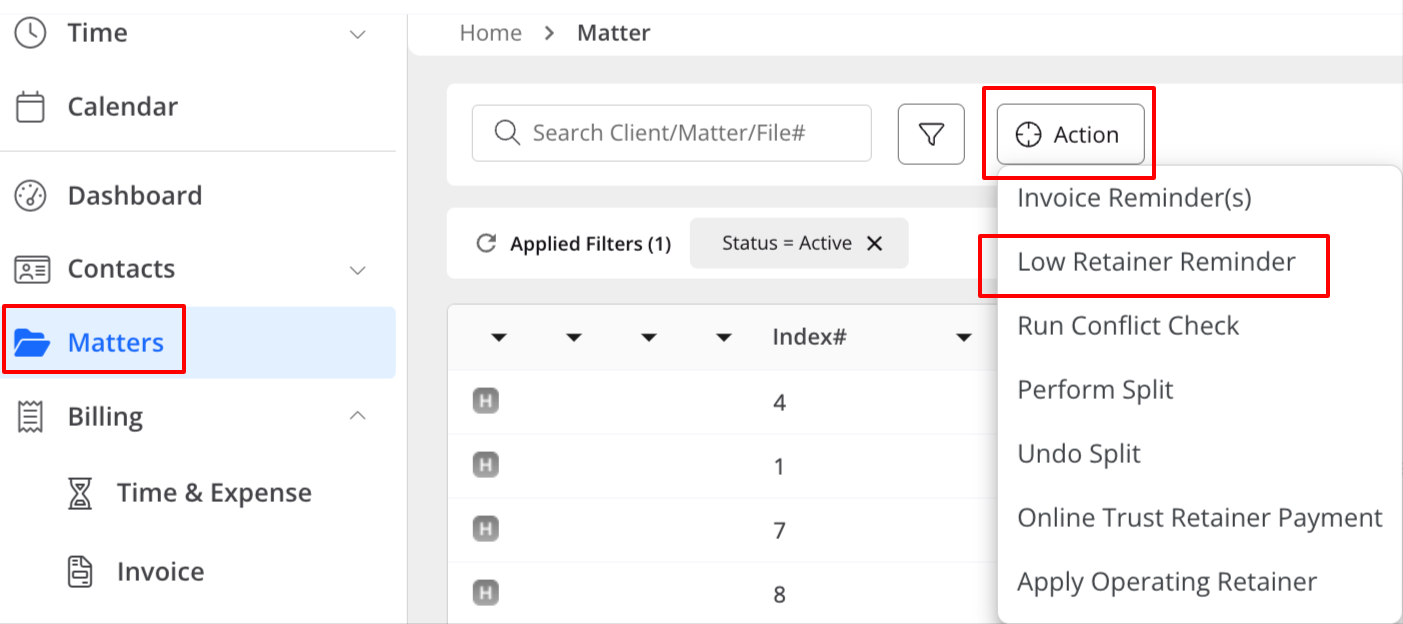
- From the navigation panel, click Matters.
- From the toolbar atop the Matters screen, click Action.
- From the drop-down, select Low Retainer Reminder.
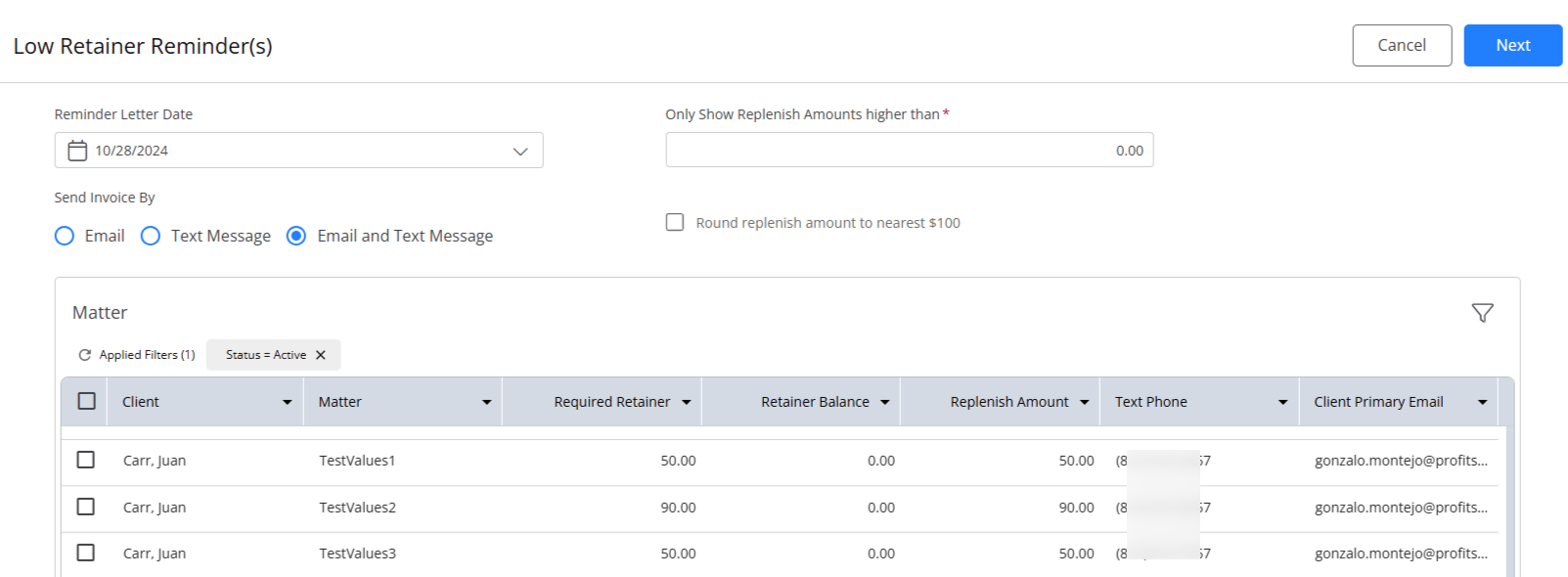
- The Low Retainer Reminder(s) screen opens, displaying all matters with Minimum Retainer Balance Required enabled.
- Select the following information:
- Reminder Letter Date: Today's date will be displayed by default. Choose a future date, if applicable.
- Only show replenishment amounts higher than If you want to include only those matters that fall above a certain replenishment amount, enter that amount here. The list of applicable matters will automatically update below.
- Round replenishment amount to the nearest $100: To round the replenishment amount to the nearest $100, check this box.
- You can choose to send invoices by Email, Text Message, or both Email and Text Message.
- Check the boxes to the left of the applicable client: matters, or select all.
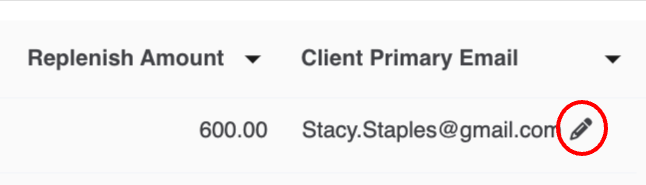
- If you need to update any of the email addresses associated with the client: matter, click on the pencil icon to edit the client's primary email address.
- Low Retainer Reminder(s) Template:
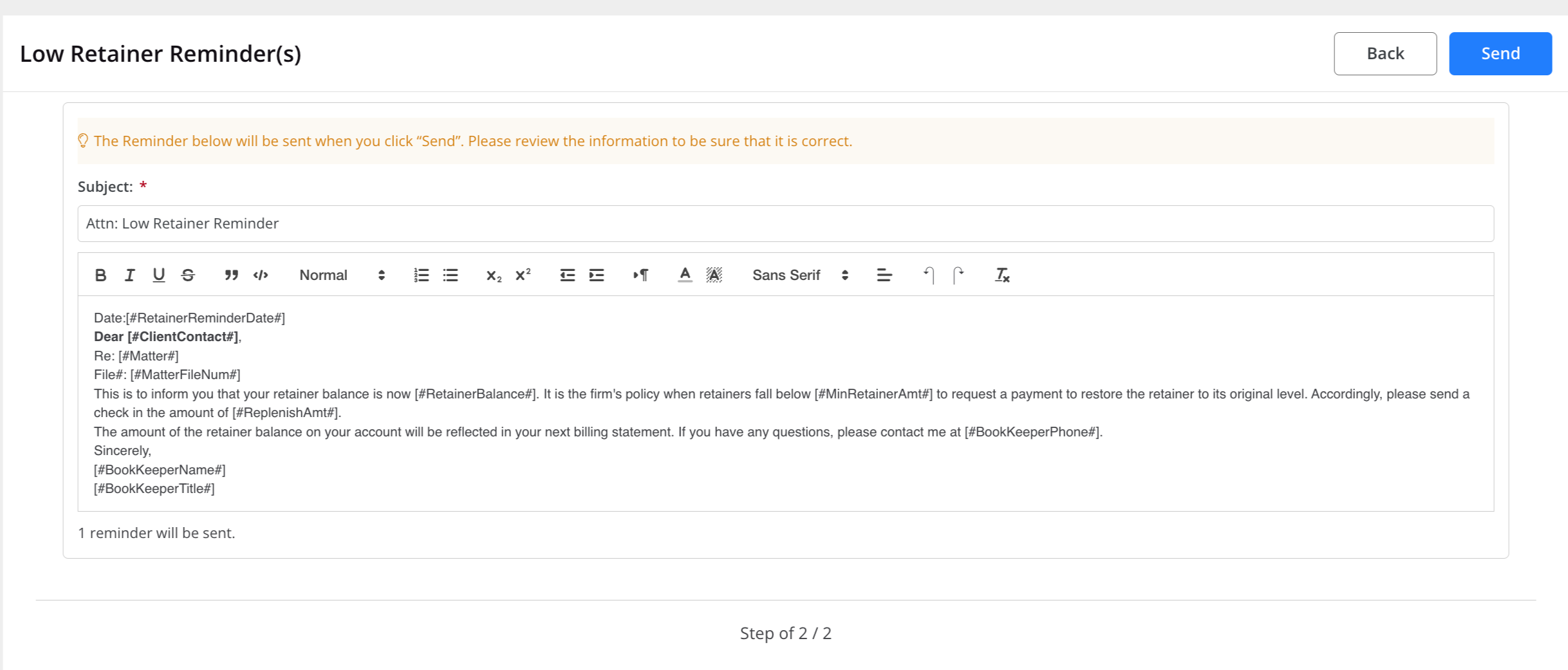
- For Emails: Edit the reminder email text and formatting, as needed. You can also change the email template settings at the firm level.
- For SMS: You can edit the Editable message body if needed.
- Do not edit the bracketed field [#LINK_TO_INVOICE_REMINDER#].
- Do not edit the bracketed field [#LINK_TO_INVOICE_REMINDER#].
- In the top right corner, click Send.
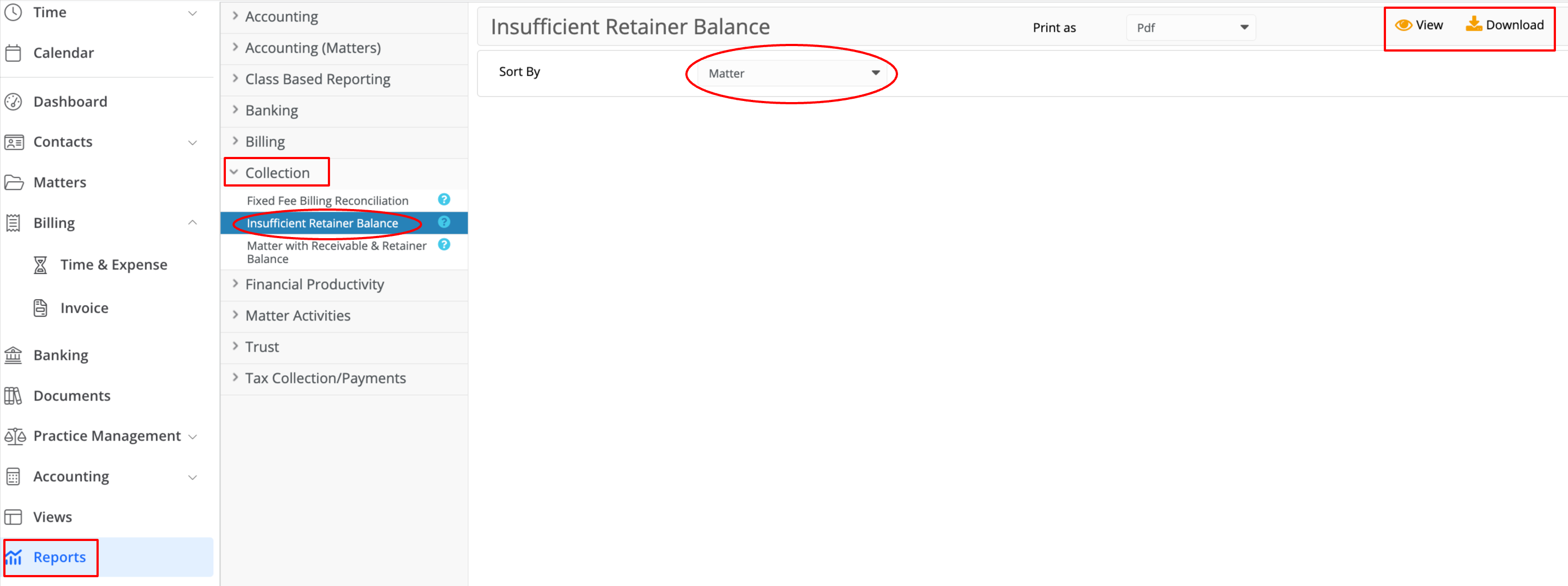
Report: Insufficient Retainer Balance
This report shows clients that have matter retainer balances below the minimum required balances.
- From the navigation panel, click Reports.
- From the Reports menu, click Collection > Insufficient Retainer Balance report.
- Sort by the following options:
- Matter
- Client Name
- Date Opened
- Matter File Number
- View or Download the report.