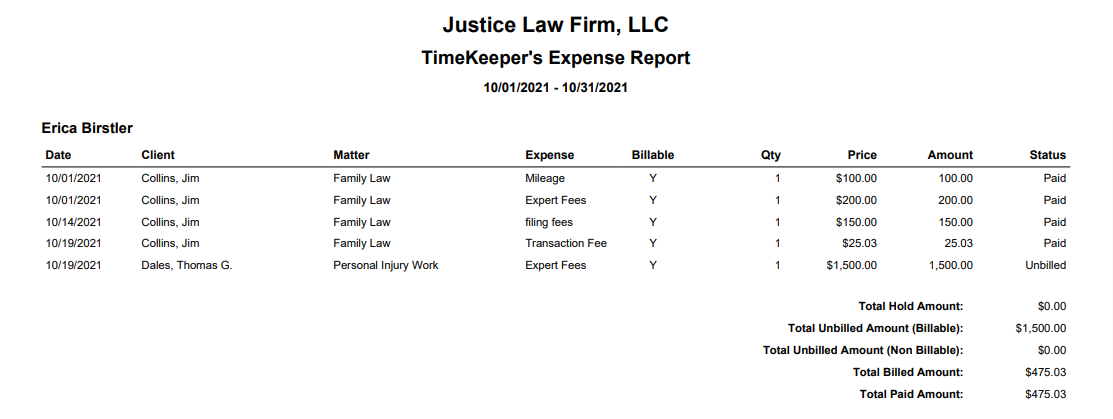
The Timekeeper's Expense Report provides details of matter expenses entered by different personnel.
To access the report, go to Reports > Billing > Timekeeper's Expense Report
Report Filters
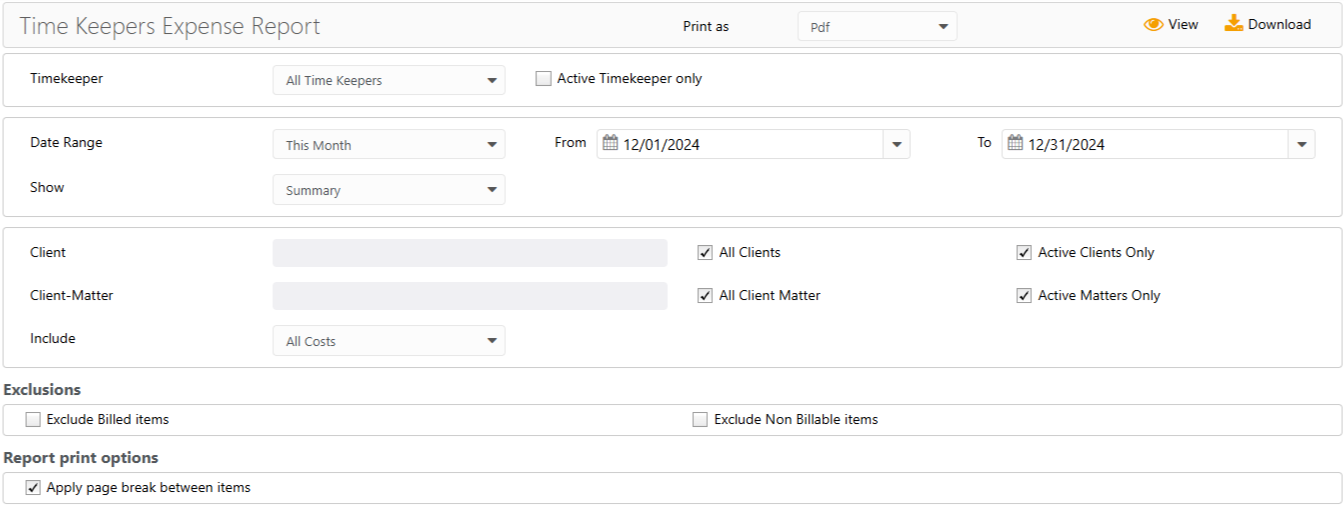
- Timekeeper: Choose all timekeepers or a specific timekeeper. Check the Active Timekeeper only box to exclude all inactive timekeepers from the timekeeper drop-down.
- Date Range: The date range options you have are All Dates, Last Month, Last Year, This Month, and This Year.
- Show: Choose to view the summary or details.
- Client: Choose all clients or a specific one. You can choose to view active clients only. To include inactive clients, uncheck the box.
- Client-Matter: Choose all client-matters or a specific one. You can choose to view active matters only. To include inactive matters, uncheck the box.
Exclusions
- Checkboxes to exclude billed items and/or non-billable items.
Report Print Options
- Apply page break between items: Check the box to apply page break between items.
View/Download
Click View to preview the report or to download, select the preferred format (Excel/pdf) and click Download.
Sample Report
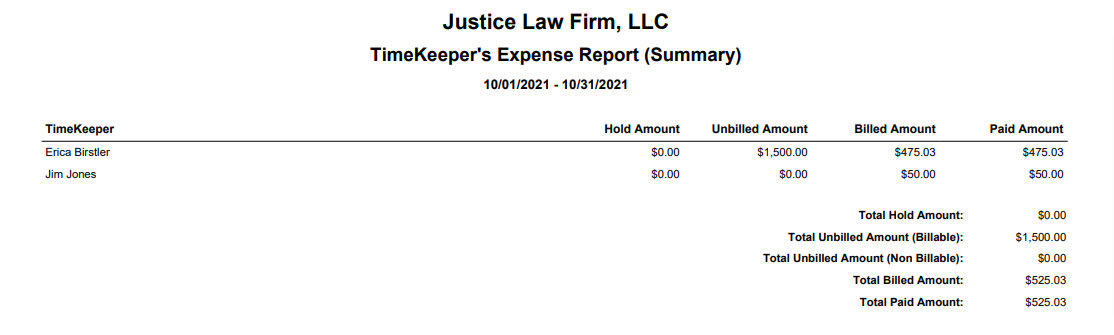
Summary View
Detail View