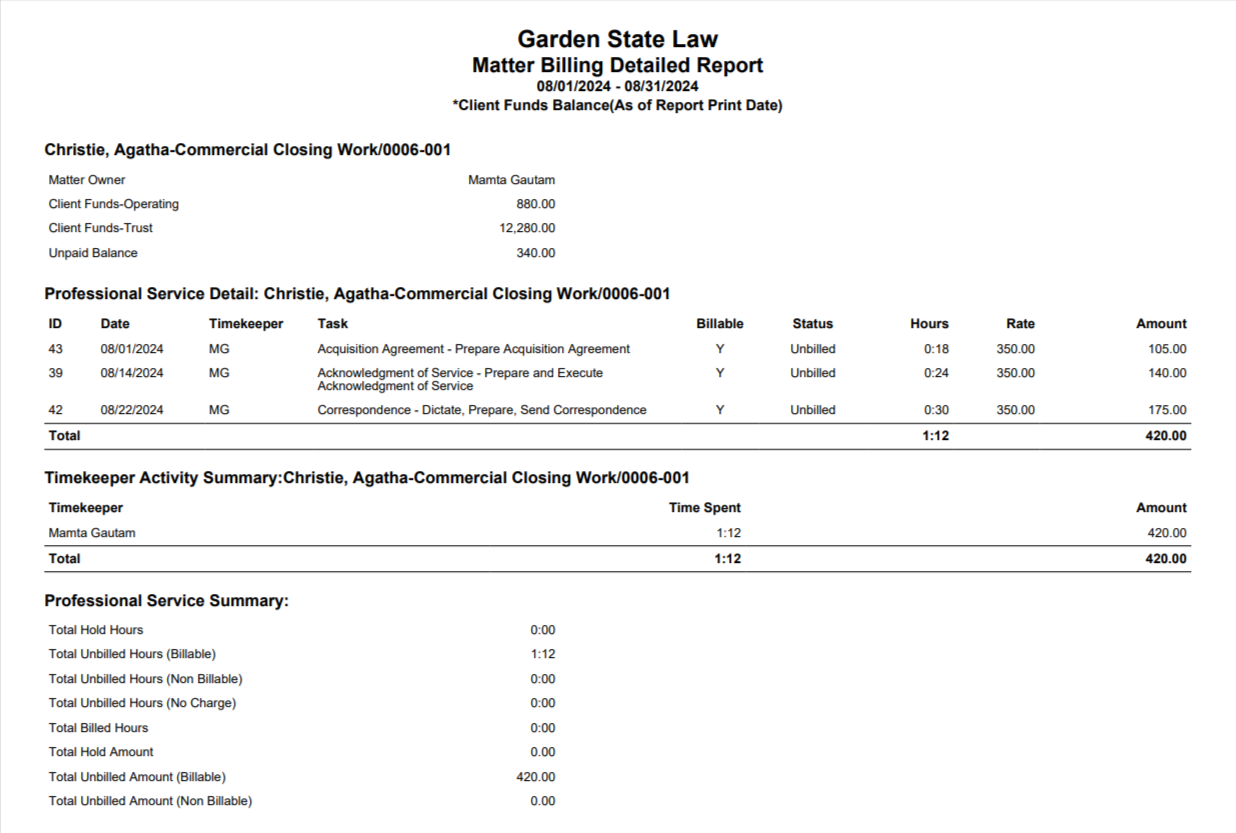
This report details all the time cards for the selected matter that have been entered for the current month and a summary of the professional service rendered.
Generate a Matter Billing Hours Report
To generate a matter billing hours report:
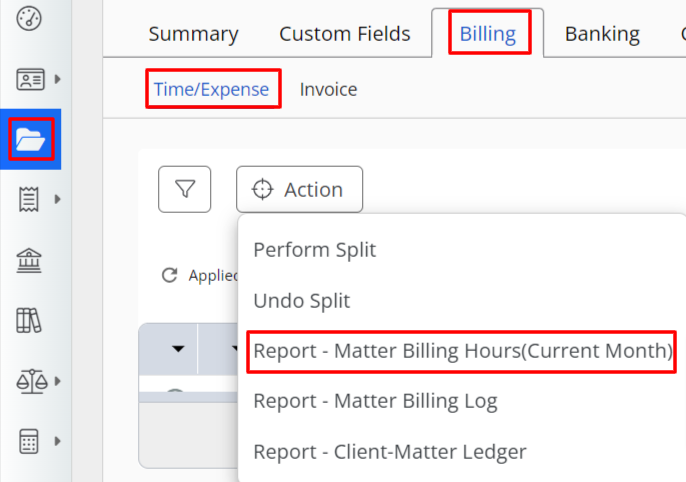
- From the left navigation panel, click Matters.
- In the Matters Screen, double-click the matter and scroll down to its summary section.
- From the tabs atop the Matter's summary section, click Billing.
- From the Billing screen, click Time/Expense.
- The Time/Expense screen opens, displaying a toolbar atop the screen.
- From the toolbar atop the Time/Expense screen, click Action > Reports - Matter Billing Hours (Current Month).
Sample Matter Billing Hours Report