To add your signature to invoices, you will first need to upload your signature to the system. Once you have uploaded your signature, add the merge field [#MatterOwnerSignature#] to your invoice template.
From Setup
Note: You will require permission, to add your signature from Setup.
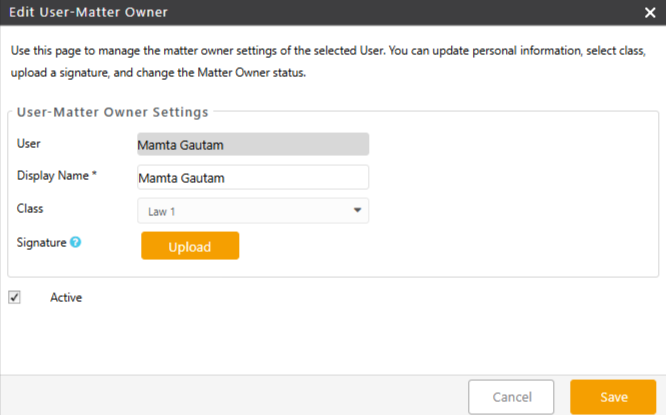
To add your signature from Setup:
- From the toolbar, click your Profile icon.
- From the drop-down, click Setup.
- From the Setup left navigation, click Matter Owner.
- On the Matter Owner screen, either double-click your matter owner name, or single-click, and then from the toolbar, click Edit.
- On the Edit Matter Owner screen, to add a signature, click Upload.
- From the downloads folder, select the signature you want to add.
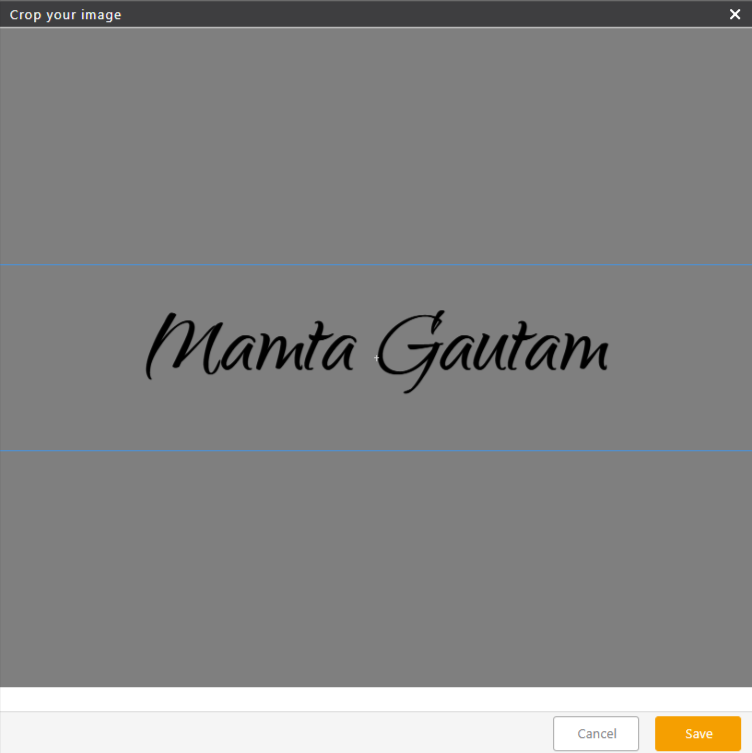
- On the crop your image page, fit the signature in the box and click Save. To use the signature image on invoice templates, add the merge field [#MatterOwnerSignature#]. To remove the uploaded signature, click on the delete icon.
- After making all your edits on the Edit Matter Owner screen, click Save.
The system saves your signature.
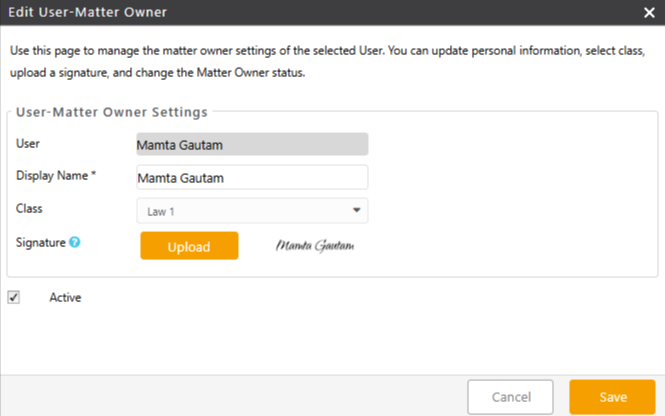
- To include this signature on your invoice, add the merge field [#MatterOwnerSignature#] to your template in the desired location.
The system will then display the signature image for the assigned matter owner.
From Account
To add your signature from Account:
- From the toolbar, click your Profile icon.
- From the drop-down, select Account > Account Management.
- From the tabs atop the Account screen, click User.
- Either double-click your user name or single-click and from the toolbar, click Edit.
- On the Edit User window, click the yellow View User icon beside Matter Owner Settings to open Edit User – Matter Owner screen.
- On the Edit Matter Owner screen, to add a signature, click Upload.
- From the downloads folder, select the signature you want to add.
- On the crop your image page, fit the signature in the box and click Save.
To use the signature image on invoice templates, add the merge field [#MatterOwnerSignature#] To remove the uploaded signature, click on the delete icon.
- After making all your edits on the Edit Matter Owner screen, click Save.
The system saves your signature.
- To include this signature on your invoice, add the merge field [#MatterOwnerSignature#] to your template in the desired location.
The system will then display the signature image for the assigned matter owner.
Learn how to Add Custom Fields to Invoice Templates