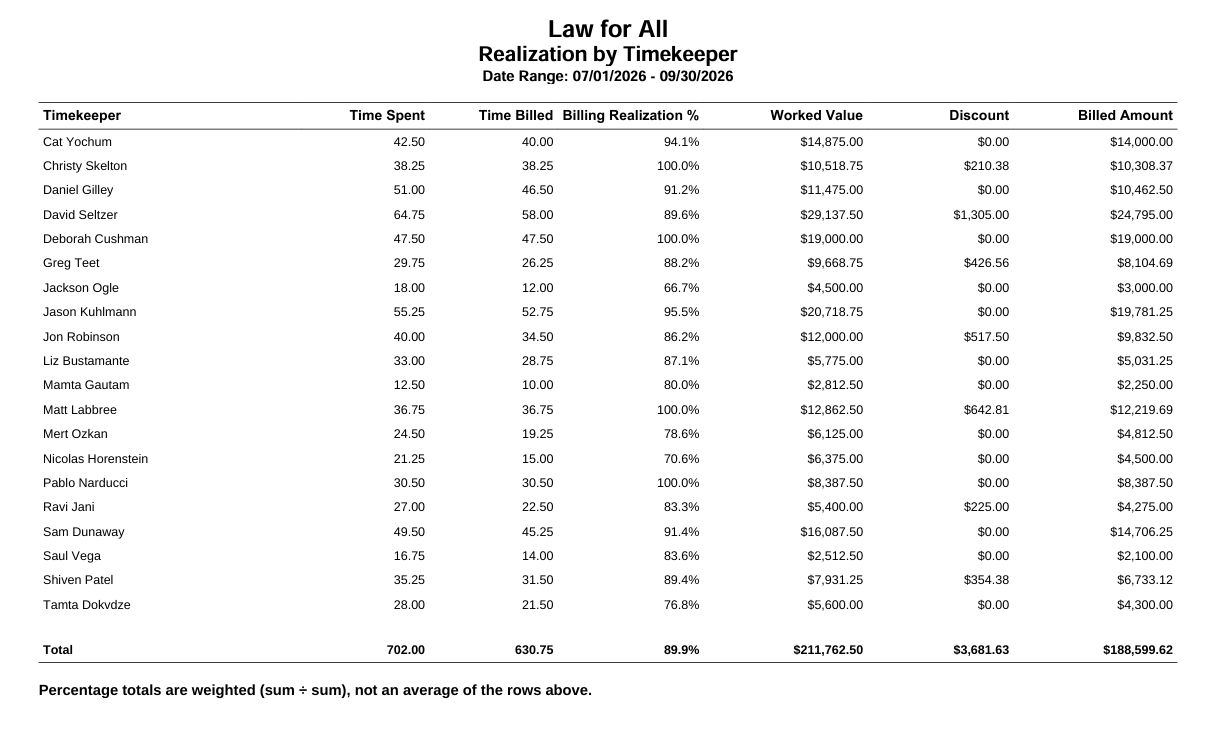
This report shows how much of each timekeeper's recorded time was actually billed, and the dollar value of what was written down.
To access this report, go to Reports > Financial Productivity > Realization by Timekeeper.
Report Filters

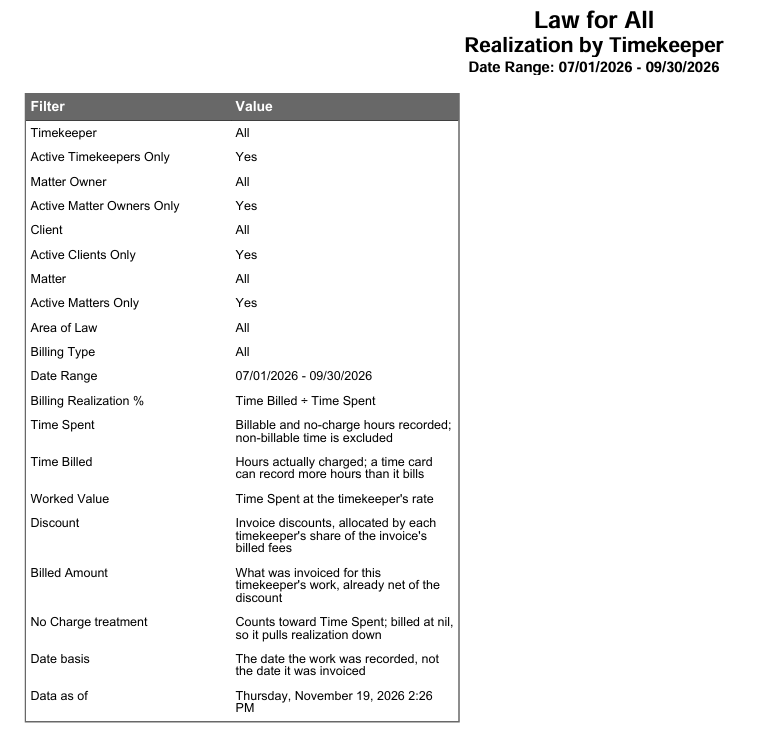
You can filter the report by:
- Date Range - You can customize the date range to be covered in the report. It picks time cards by the date the work was done.
- Timekeeper - You can choose to run a report on a single timekeeper, selected timekeepers, or all timekeepers in your firm. Check the Active Timekeeper only box to exclude all inactive timekeepers from the timekeeper drop-down.
- Matter Owner - Select a particular Matter Owner, all Matter Owners in your firm, or Active Matter Owners only.
- Client - Select a particular client, all clients in your firm, or Active clients only.
- Client-Matter - Select a particular matter, all matters in your firm, or Active matters only.
- Area of Law - Select a specific area of law or all.
- Billing Type - Select the billing type from the drop-down.
View/Download
Click View to preview the report or to download, select the preferred format (Excel/pdf) and click Download.
Sample Report