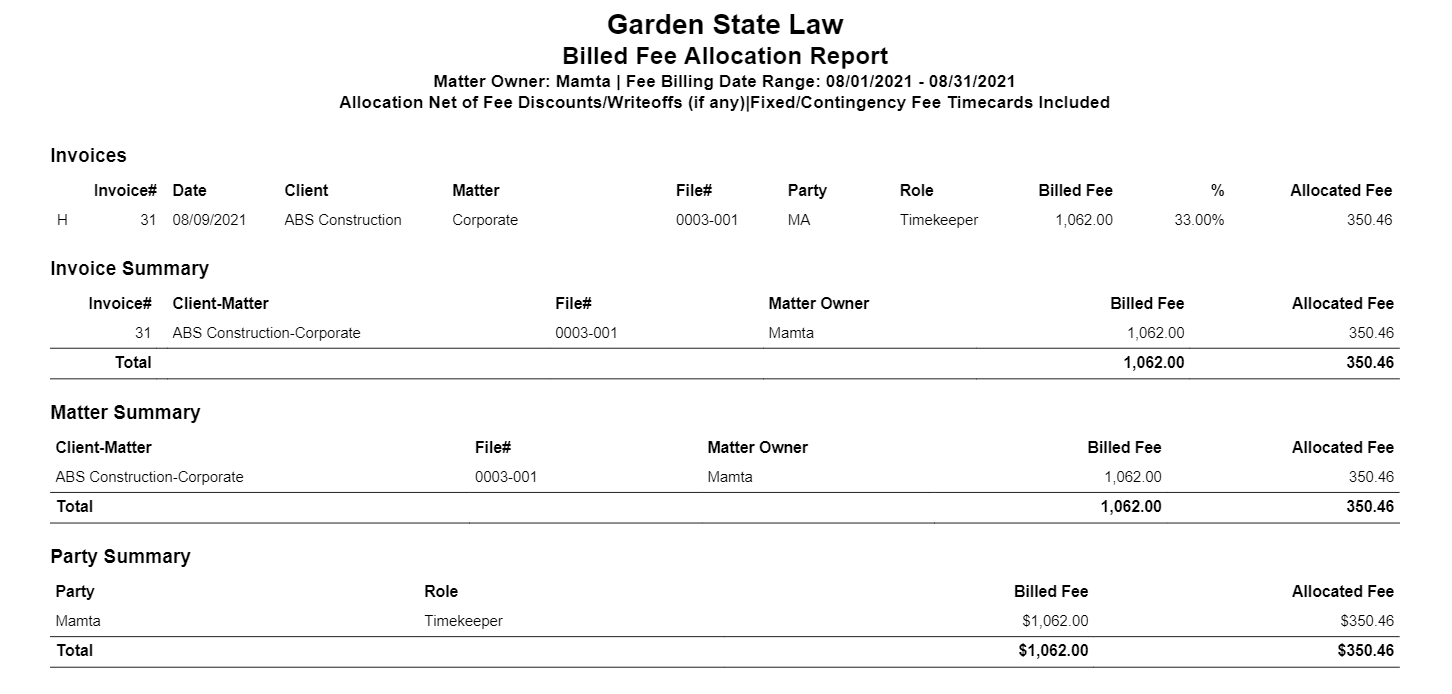
The Billed Fee Allocation report details billed fees by invoice, matter, and party as well as calculates allocation based on assigned allocation percentage.
To access this report, go to Reports > Financial Productivity >Billed Fee Allocation
Report Filters
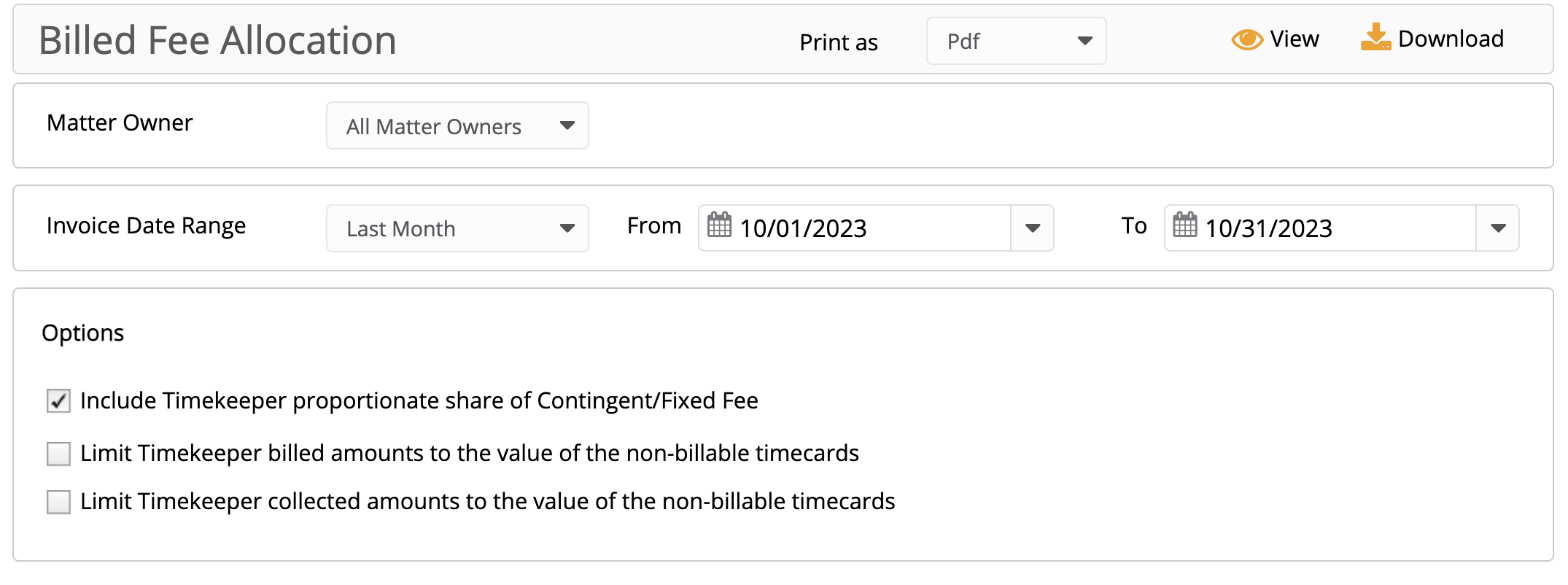
- Matter Owner: You can choose to run a report on a single Matter Owner or all Matter Owners in your firm.
- Invoice Date Range: Based on the date the invoice was generated. You can customize the date range to be covered in the report.
Options
- Include Contingent/Fixed Fee Matters: When checked, the report includes Contingent/Fixed Fees based on each timekeeper's portion of the non-billable timecard value associated with the invoice.
Important: If you don't want Contingent/Fixed fees to appear on the report, you must uncheck this option. You may override the proportional fee calculation by selecting one or more of the following:
- Limit billed amounts to the value of the non-billable timecards: When checked, the timekeeper's billed fees cannot exceed the total value of the timekeeper's non-billable timecards associated with the invoice.
- Limit collected amounts to the value of the non-billable timecards: When checked, the timekeeper's collected fees cannot exceed the total value of the timekeeper's non-billable timecards associated with the invoice.
Caution: You must also enter non-billable timecards on the matter for each timekeeper entitled to a share of the fixed/contingent fee prior to generating the invoice. The system does not include timekeeper billed/collected amounts for matters with no non-billable timecards entered.
View/Download
Click View to preview the report or to download, select the preferred format (Excel/pdf) and click Download.
Sample Report