The daily digest email is a daily summary report of your attorney's major activities such as activities, meetings, notes, and more.
Enable the Daily Digest Email
To enable the daily digest email:
- From the toolbar, click your Profile icon.
- From the drop-down, click Setup.
- From the Setup left navigation, click My Settings.
- From the tabs atop the My Settings screen, click My Preferences.
- On the My Preferences screen, scroll to the bottom of the screen.
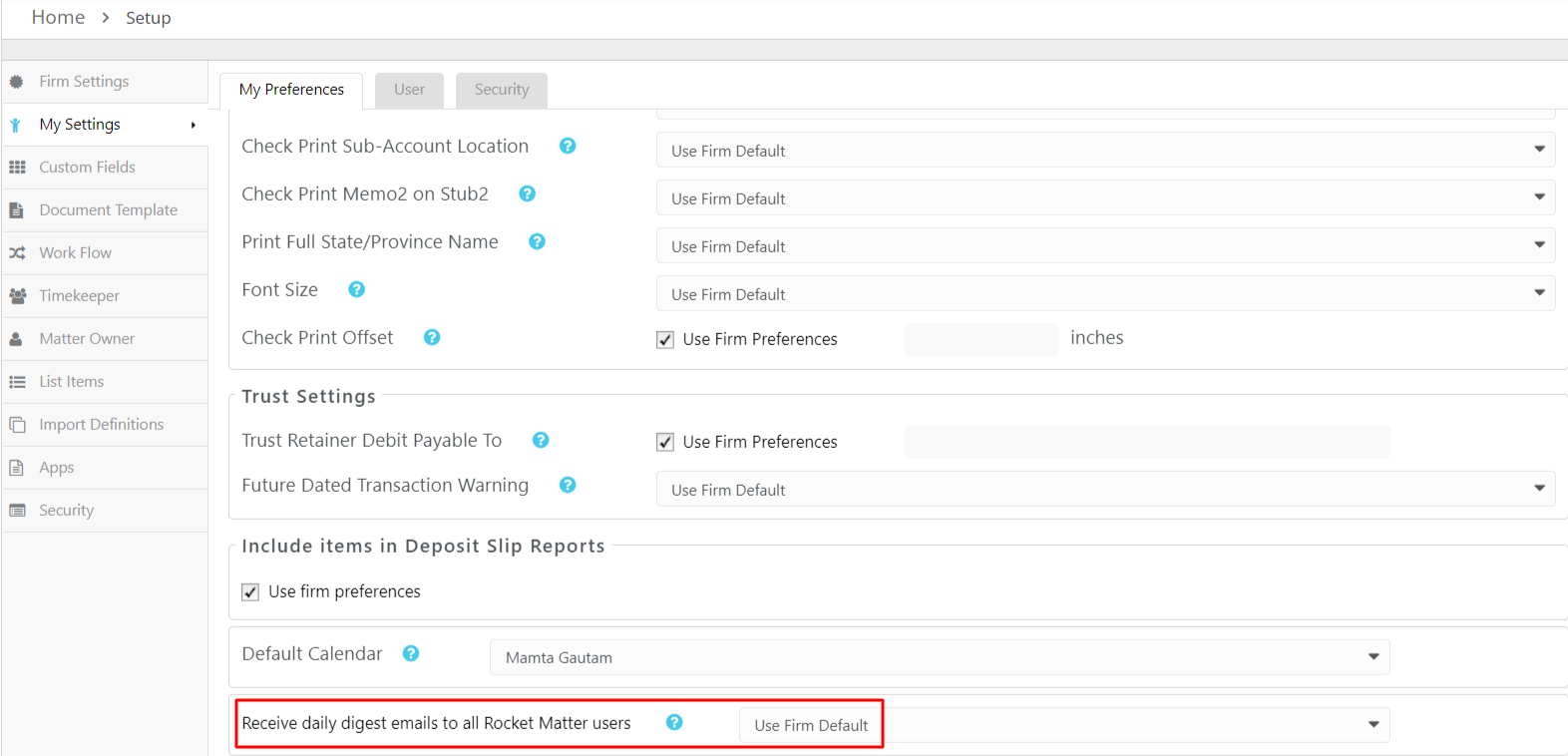
- From the Send daily digest emails to all Rocket Matter Users field drop-down, click Yes.
- Click Save.
The system saves your change.