This report shows fixed fee amounts and billed amounts to ensure all of your fixed fee matters are being billed in a timely manner.
To access the report, go to Reports > Collection >Fixed Fee Billing Reconciliation.
Report Filters
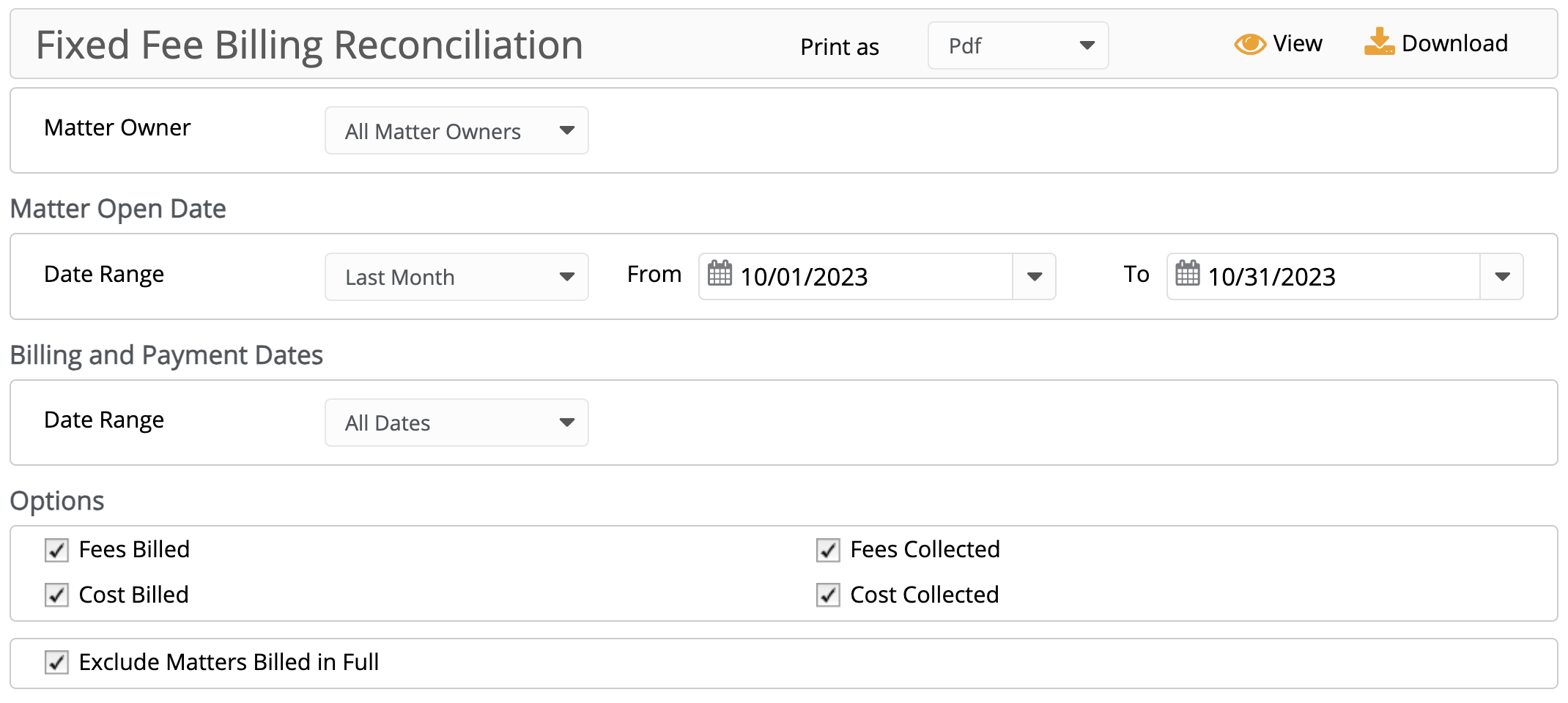
Matter Owner: Choose All Matter Owners or select a specific Matter Owner from the drop-down.
Matter Open Date:
- Date Range: The date range options you have are Last Month, Last Year, This Month, and This Year, or you can select from the calendar drop-down to specify your date range.
Billing and Payment Dates:
- Date Range: The date range options you have are All Dates, Last Month, Last Year, This Month, and This Year.
Options:
- The boxes are checked by default. You can uncheck the box if you would like to exclude:
- Fees Billed
- Fees Collected
- Cost Billed
- Cost Collected
- Exclude Matters Billed in Full: Checked by default. If you wish to include matters billed in full uncheck the box.
View/Download
Click View to preview the report or to download, select the preferred format (Excel/pdf) and click Download.
Sample Report

Sample first page of report
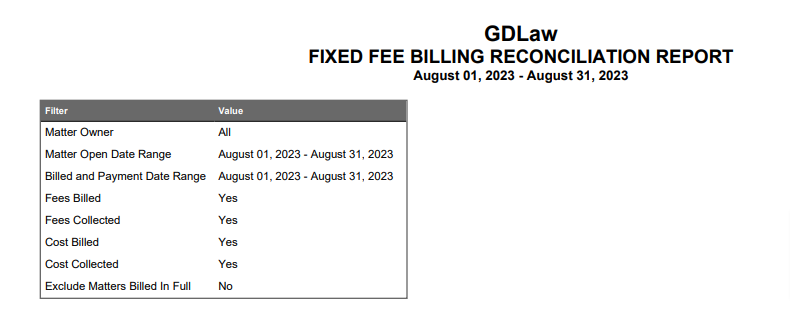
Sample last page of report