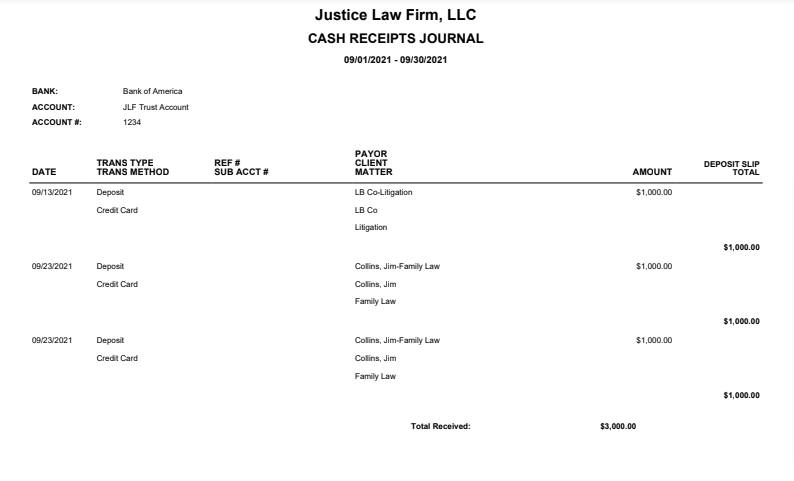
The Cash Receipts Journal shows cash receipts and other deposits to the selected bank accounts within a specified date range.
To access the report, go to Reports > Banking >Cash Receipts Journal.
Report Filters
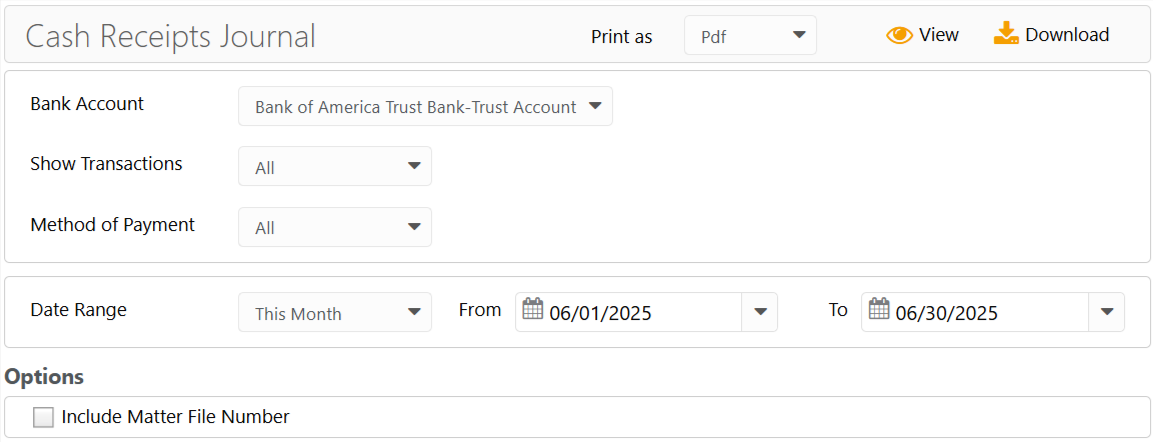
- Bank Account: Choose the Bank Account for which you want to see cash receipts and deposits.
- Show Transactions: Choose to view all, cleared/reconciled, and outstanding transactions.
- Method of Payment: Choose a payment method.
- Date Range: The date range options you have are All Dates, Last Month, Last Year, This Month, and This Year.
- Include Matter File Number: Check the box if you wish to include the file numbers of your matters.
View/Download
Click View to preview the report or to download, select the preferred format (Excel/pdf) and click Download.
Sample Report