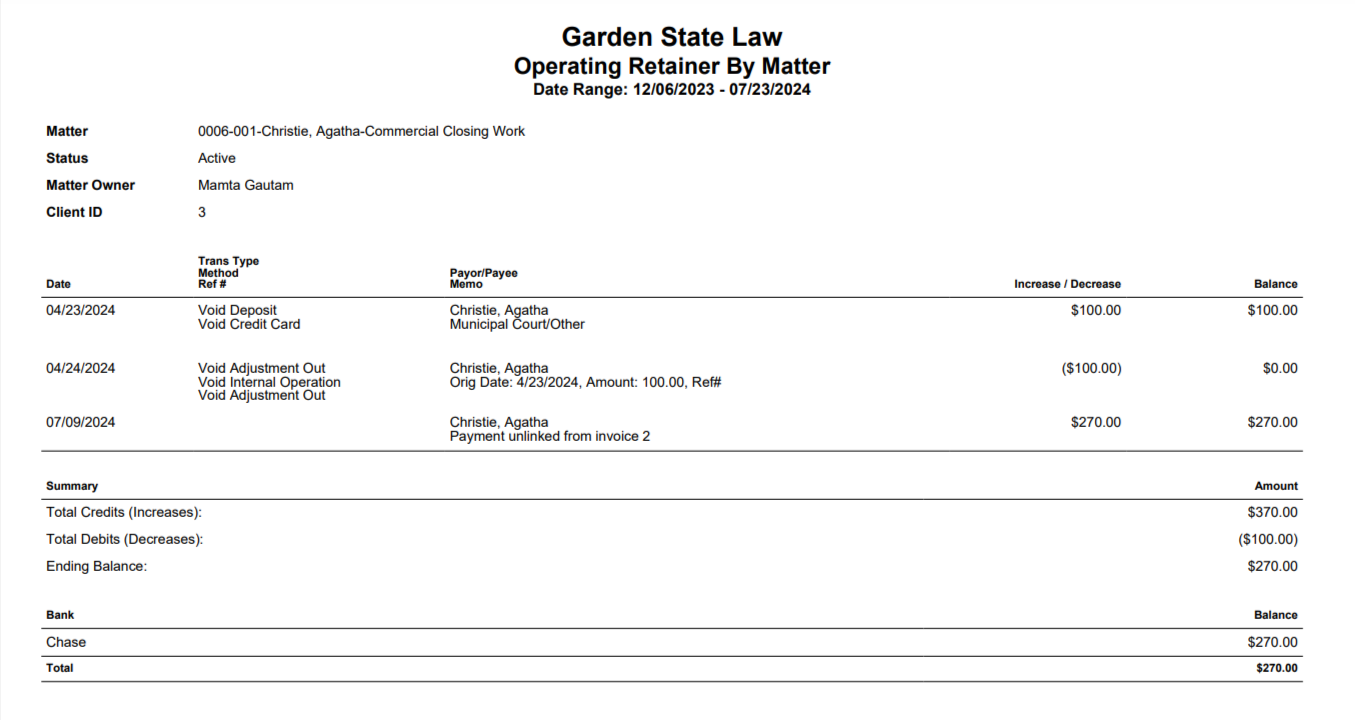
The report displays the balance for each operating bank if the amount is greater than $ 0.00. It shows all the activity in a client's operating retainer for a matter, that includes:
- All deposits to a matter's operating retainer
- All payments to invoices using operating retainers
- Credit memos refunding operating retainers
To access the report, go to Reports > Accounting (Matters) > Operating Retainer by Matter
Report Filters

- Client-Matter: Choose all matters or a specific matter.
- All Client Matters: By default all active matters are included (unless filtered by client above). To choose a specific matter, uncheck all client matters and type in the matter name.
- Active Matters Only: By default, the active matters box is checked. To include all matters (active and inactive), uncheck this box.
- Date Range: Only operating retainers with dates within this range will be included. The date range options you have are Till Date, Last Month, Last Year, This Month, and This Year.
View/Download
Click View to preview the report or to download, select the preferred format (Excel/pdf) and click Download. Learn more about generating reports.
Sample Report